
How AI Meeting Prep Actually Works — A Full Pre-Meeting Pipeline
AI meeting prep goes beyond note-taking. Learn the 4-stage pre-meeting pipeline — context gathering, document surfacing, brief generation, and action item carry-over.
disclosure: "This article demonstrates workflows using Floatboat. Alternative approaches and tools exist for each pipeline stage."
TL;DR
AI meeting prep is not the same as an AI note-taker. Note-takers capture what happened; meeting prep systems gather context, surface documents, and generate briefs before the meeting starts.
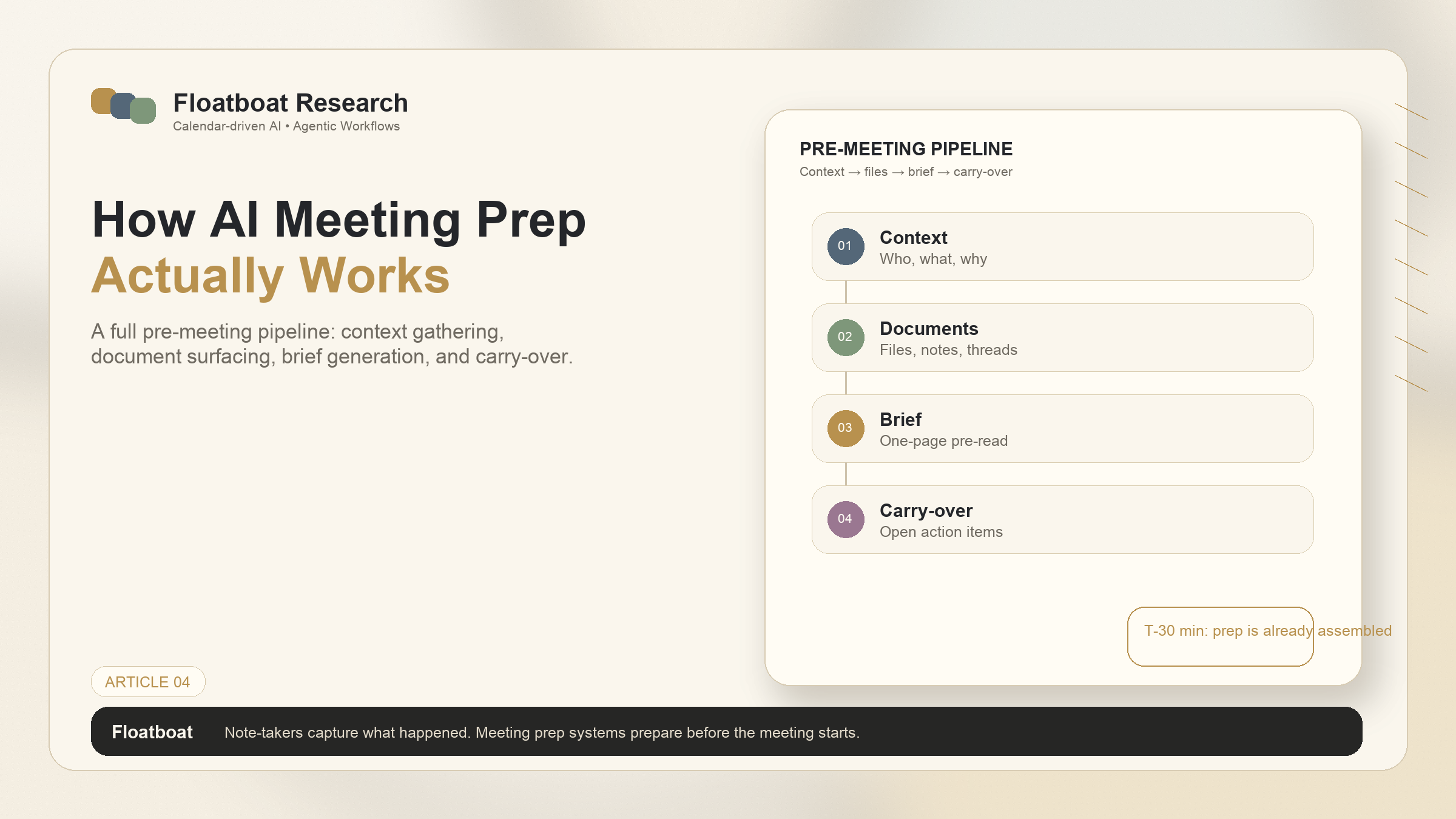
A complete pre-meeting pipeline has four stages: context gathering (who is attending and why), document surfacing (relevant files, past notes, email threads), brief generation (a one-page pre-read), and action item carry-over (what was left unfinished from last time).
Calendar-driven AI handles prep automatically — triggered by the calendar event, not by the human remembering to ask. Thirty minutes before the meeting, the prep materials are already assembled.
For solo founders and anyone with recurring client calls, standups, or reviews, automated prep eliminates the scramble and ensures every meeting starts with the right context.
1. What Most People Get Wrong About AI Meeting Prep
1.1 It's Not Just an AI Note-Taker
Ask someone what AI can do for meetings, and the first answer is usually "take notes." Tools like Fireflies, Otter, and Fathom have made AI transcription mainstream. They join your calls, record the conversation, and produce a summary. They're good at what they do. And what they do is entirely inside the meeting — capturing what happened after it started.
Meeting preparation is the other side of the same coin. It's what happens before anyone speaks. It's the work of understanding who will be in the room, what was discussed last time, which documents are relevant, what open questions remain, and what the objective of this specific conversation should be. This prep work is what turns a calendar entry from a time block into a productive conversation. And for most people, it's still entirely manual: 10 minutes of scrambling through email, Slack, and Google Docs, trying to reconstruct context before the call connects.
AI note-takers and AI meeting prep systems address different parts of the meeting lifecycle. They're not competitors. They're complementary — and the prep side has been largely overlooked by the AI tools that have gone mainstream.
1.2 The 30 Minutes Before a Meeting Matter More Than the Meeting Itself
There's a pattern that anyone with a full calendar recognizes. A meeting appears. You glance at the title and the attendees. You have a vague sense of what it's about. And then, unless you deliberately carve out time to prepare — opening old emails, finding the latest version of the relevant document, refreshing your memory on the client's status — you walk into the conversation under-prepared. Not because you're bad at your job, but because preparation takes time, and time is what the calendar doesn't give you. It shows you the slot. It reminds you the slot is coming. It does nothing to help you be ready for it.
The 30 minutes before a meeting are the highest-leverage minutes in the meeting's lifecycle. Ten minutes of structured prep can turn a meandering conversation into a focused working session. Ten minutes of scrambling through tabs produces the opposite. The difference between the two isn't discipline — it's whether the prep materials are assembled for you or whether you have to assemble them yourself while the clock ticks down.
2. The Pre-Meeting Pipeline: 4 Stages
A complete pre-meeting workflow has four stages. Each one can be done manually, and for most people, each one currently is. The value of AI in meeting prep isn't doing something new — it's automating the assembly work so the human can focus on the strategic thinking that the assembly work enables.
2.1 Stage 1: Context Gathering — Who, What, Why
Before any meeting, there are baseline facts that determine what kind of conversation it should be. Who is attending? What's their role in the project? When was the last conversation with them, and what was decided? Is this a check-in, a decision meeting, a pitch, a negotiation? What's at stake?
For a recurring client call, the context gathering stage pulls in: the client's name and role, the last meeting's notes (what was discussed, what was promised), any email threads from the past week involving that client, and the current status of outstanding deliverables. For an internal standup, it pulls in: the previous standup's action items, the status of in-progress tasks, and any blockers that were flagged. For a first meeting with a new prospect, it pulls in: the prospect's company, their role, the outreach thread that led to the meeting, and any public information relevant to the conversation.
Manually, this stage takes 5-10 minutes per meeting. Across 10-15 meetings per week, that's an hour or more of information retrieval — finding things that already exist, just not in one place. AI meeting prep automates this retrieval, pulling from connected email, calendar, document storage, and task management tools to assemble the baseline context before the human even looks at the screen.
2.2 Stage 2: Document Surfacing — Relevant Files, Past Notes, Threads
Context gathering tells you who and why. Document surfacing tells you what — specifically, what materials are relevant to the conversation that's about to happen.
This stage connects the meeting to the artifacts that surround it. For a client call about a proposal, it surfaces the latest version of the proposal document, any feedback that's been given on it, the pricing discussion from the email thread, and the contract template if the conversation is advancing toward closing. For a product review, it surfaces the spec document, the latest build notes, the QA report, and the feedback thread from the design review. For a weekly planning session, it surfaces last week's plan, this week's draft, the metrics dashboard, and any flag events from the past seven days.
The challenge this stage solves isn't that the documents don't exist — it's that they're scattered across Gmail, Google Drive, Notion, Slack, Linear, and a dozen other places. Finding them requires knowing where to look and what to look for. Most people develop heuristics: "client proposals are in the Shared Drives folder," "QA reports are in the Slack channel pinned messages." These heuristics work until they don't. AI document surfacing replaces the heuristics with actual connections: the meeting is linked to the client, the client is linked to the project, the project is linked to its documents, and the system traverses those links automatically.
2.3 Stage 3: Brief Generation — A One-Page Pre-Read
Context gathered. Documents surfaced. Stage 3 synthesizes these into a single, scannable page: the pre-meeting brief.
A good brief doesn't dump everything. It answers four questions in roughly this order: what's the objective of this meeting, what's the background (one paragraph — the last interaction, the current status), what are the key discussion points (three to five bullets, drawn from the surfaced documents and context), and what open questions or risks should be on the table. The format is consistent across meetings, but the content is meeting-specific. The brief for a renewal conversation looks different from the brief for a project kickoff, even if the same client is involved.
The output isn't meant to be read word-for-word during the meeting. It's meant to be reviewed in the three minutes before the call connects — enough time to refresh the mental model, flag the discussion points, and walk in oriented. For high-stakes meetings, the brief is the difference between starting the conversation on your front foot and spending the first five minutes reconstructing context.
2.4 Stage 4: Action Item Carry-Over — What Was Left from Last Time
The final stage of prep is the bridge from the last meeting to this one. What action items were assigned last time? Which ones have been completed? Which ones are still open — and does their continued open status need to be addressed in this conversation?
This stage prevents the most common meeting failure mode: the action item that everyone agreed to, nobody did, and nobody remembered to bring up next time. By surfacing unfinished items as part of the prep brief, the system makes it impossible to forget them — they're on the page you review before walking in. The carry-over isn't a task manager. It's not tracking due dates and sending reminders. It's connecting the output of the last meeting to the input of this one, closing the loop that manual processes leave open.
3. What a Calendar-Driven AI Does Differently
3.1 Triggered by the Calendar, Not a Chat Prompt
The four-stage pipeline described above can be executed manually — and for most people, it is. The difference between manual execution and AI execution isn't in what gets done; it's in when and how.
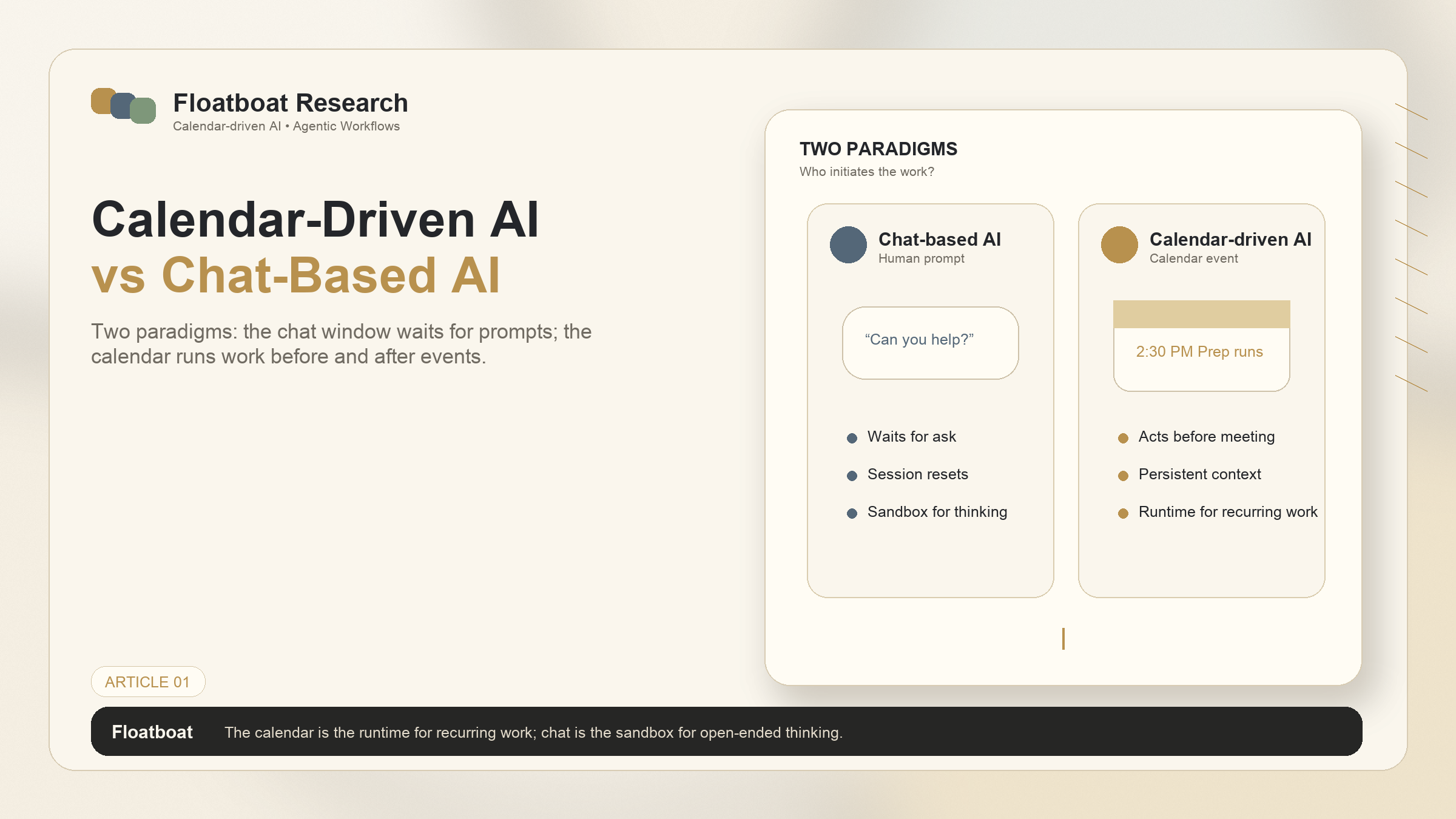
In a chat-based AI workflow, you open the tool and ask it to prepare for a meeting. You provide the context: the meeting title, the attendees, maybe you paste in some emails and documents. The AI does the synthesis work. But you had to remember to ask. You had to collect the inputs. You initiated the process — and if you didn't, the process didn't happen.
In a calendar-driven workflow, the calendar event is the trigger. At 2:30pm — 30 minutes before your 3pm client call — the system has already completed the four-stage pipeline. Context gathered. Documents surfaced. Brief generated. Action items carried over. You didn't open a chat window. You didn't paste in emails. The calendar told the system to prepare, and it did.
This shift — from human-initiated to calendar-initiated — is what makes automated prep reliable at scale. When you have three meetings in a day, remembering to prep for each one is manageable. When you have eight, it's not. The calendar-driven approach eliminates the remembering burden entirely. The system preps because the calendar says something is coming. It doesn't need you to remember that something is coming too.
3.2 Prep Happens Whether You Remember to Ask or Not
The practical implication of calendar-driven prep is that the materials are there when you need them, regardless of whether you had time to think about the meeting in advance. This matters particularly for meetings that fall between other meetings — the 11am that follows a 10am that ran long, leaving no buffer for manual prep. In a manual workflow, that 11am starts cold. In a calendar-driven workflow, the prep was already done at 10:30, while you were still in the 10am.
This isn't about replacing strategic thinking. The brief is a starting point, not a script. You still need to review it, adjust the emphasis, decide what to prioritize. But the assembly work — the finding, the formatting, the cross-referencing — is done. The 60 seconds you spend scanning the brief replaces the 10 minutes you would have spent gathering the materials that the brief summarizes.
4. Setting This Up for Your Own Workflow
4.1 Connecting Your Calendar, Email, and Docs
The minimum viable setup for automated meeting prep covers three connections. Calendar access — so the system knows what's coming and can trigger prep on schedule. Email access — so the system can surface relevant threads and identify attendees from past conversations. Document access — so the system can find the files connected to each meeting's context.
Most calendar-driven AI tools connect to the major platforms directly: Google Calendar and Gmail, Outlook Calendar and Exchange, iCloud. The document access layer varies by tool — some connect to Google Drive, Notion, and Dropbox; others rely on local file system access. The key is that all three connections (calendar, email, docs) are live, not imported once. The system needs to see new emails, new documents, and calendar changes in real time to keep prep materials current.
4.2 Customizing the Prep Brief Template
Different meetings need different prep formats. A client pitch brief should prioritize background on the prospect's company and pain points. A weekly standup brief should prioritize action items and blockers. A project review brief should prioritize milestone status and deliverable readiness.
Most systems provide default templates for common meeting types and allow customization — adjusting which sections appear, how much detail each section contains, and what sources the system pulls from for each section. The customization happens once per meeting type. After that, every instance of that meeting type uses the same template, populated with meeting-specific content.
4.3 Automating Recurring Prep for Weekly Standups and Client Calls
Recurring meetings — the weekly standup, the monthly client check-in, the quarterly review — are where automated prep delivers the highest return. The prep format is the same each time, but the content changes. Automating the content assembly eliminates repetitive information retrieval work that, across a year, adds up to dozens of hours.
Setup for a recurring meeting typically involves: tagging the calendar event series as a specific meeting type, confirming the prep template (or customizing it once), and verifying that the relevant document sources are connected. After that, every instance of the series gets prepped automatically. For someone with five recurring weekly meetings, that's five briefs per week — roughly 250 per year — that appear without manual effort.
5. FAQ
5.1 How is this different from an AI note-taker like Fireflies or Otter?
AI note-takers capture what happens during the meeting — transcription, summary, action item extraction. They operate inside the meeting. AI meeting prep operates before the meeting: gathering context, surfacing documents, generating a brief. The two address different stages of the meeting lifecycle and can work together — the note-taker's output from the last meeting feeds into the prep system's context for the next one.
5.2 Can this work with confidential meetings?
Calendar-driven prep systems need access to calendar event metadata (title, attendees, time) to trigger prep, and to email and document sources to gather context. For confidential meetings, the prep materials are assembled locally — they're not uploaded to a cloud service for processing. The system processes the data where it lives. If local processing is a hard requirement, verify that the tool supports on-device AI rather than cloud-only processing.
5.3 What integrations do I need to make this work?
The minimum is calendar access. For full context gathering, add email and at least one document storage integration (Google Drive, Notion, Dropbox, or local file system). Task manager integration adds action item carry-over. The more sources the system can pull from, the richer the prep materials — but even calendar-only access enables basic prep (event metadata, attendee identification, timing).
5.4 Does the AI need access to all my emails and files?
It needs access to the sources you want it to pull context from. Most systems let you scope access — connecting specific email labels or folders, specific document directories, specific calendars. You don't need to grant blanket access to every email you've ever received. The system only uses what it needs for the meetings it's preparing for. For most users, scoping access to work email and work documents is sufficient.
6. Related Reading
AI Follow-Up Automation After Meetings — The post-meeting side of the pipeline: how AI converts meeting outcomes into tasks, drafts, and next-meeting prep.
What Is an Agentic Calendar? — The foundational definition of calendar-driven AI systems that execute the full meeting lifecycle.
Calendar-Driven AI vs Chat-Based AI — Why calendar-triggered prep is architecturally different from asking a chat AI to prepare.
Related Articles
Get automation tips for your workflow
Weekly insights for non-technical professionals. No spam ever.