
AI Follow-Up Automation — Turn Meeting Outcomes Into Action
Learn how AI follow-up automation captures decisions, extracts action items, and prepares the next meeting automatically.
disclosure: "This article demonstrates workflows using Floatboat. Alternative approaches and tools exist for each pipeline stage."
TL;DR
The gap between a meeting ending and its outcomes being acted on is where most meeting value is lost. AI follow-up automation closes that gap.
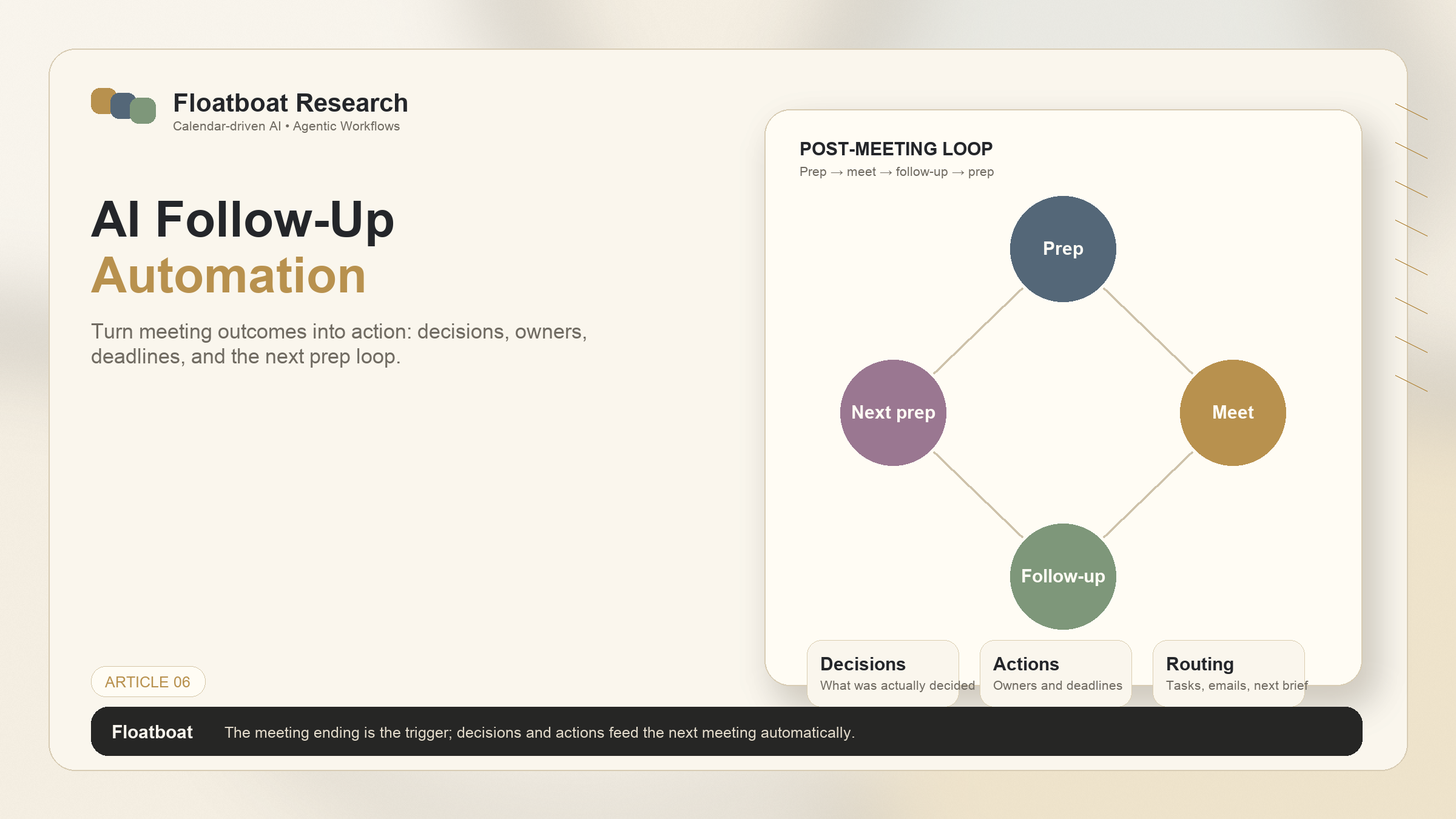
A complete post-meeting pipeline has three stages: decision capture (what was actually decided), action extraction (tasks, owners, deadlines), and the next-meeting prep loop, where outcomes feed into the next meeting's preparation.
Calendar-driven AI triggers follow-up automatically when a meeting ends — extracting action items, drafting communications, and routing outputs without the human initiating anything.
When combined with calendar-driven meeting preparation, the full loop — prep, meet, follow-up, prep — becomes a system that runs itself, with the calendar as the engine.
1. The Follow-Up Gap
1.1 Why Action Items Die Between Meetings
Meetings produce outcomes. Decisions get made. Tasks get assigned. Deadlines get set. And then, in the minutes and hours after the meeting ends, those outcomes enter a vulnerable state. The meeting is over. The next meeting is approaching. The notes from this meeting — if they were taken at all — sit in a document or a Slack thread, waiting for someone to extract the action items, assign them to the right people, and track whether they get done.
Most of the time, this extraction and tracking happens partially or not at all. The meeting ended. Everyone went back to what they were doing before. The action items exist in the collective memory of the people who were in the room — and collective memory is unreliable. In practice, follow-up quality tends to decay quickly after a meeting: details fade, ownership becomes ambiguous, and action items lose urgency. The longer action items remain uncaptured and unassigned, the more likely they are to disappear into memory rather than become completed work.
For broader context on meeting follow-up practices, see Atlassian's guidance on meeting notes and action items and Asana's overview of action item tracking.
The follow-up gap is the distance between "we agreed to do this" and "this actually got done." Closing that gap isn't a matter of discipline. It's a matter of systems. Manual follow-up — typing up notes, creating tasks, sending reminders — is high-effort, low-reward work that competes with everything else on the calendar. It's the first thing to get dropped when time is tight, and time is always tight.
1.2 Manual Follow-Up Doesn't Scale for Solo Founders
For solo founders and solopreneurs, the follow-up gap is particularly expensive because there's no team to distribute the burden across. Every client call produces action items that only you can handle — because you're the only person in the company. Every investor update produces follow-ups. Every sales conversation requires a next step. The volume of follow-up work scales linearly with the number of meetings, and for a solo operator, the number of meetings tends to be high precisely because meetings are how the business runs.
The standard coping mechanisms are fragile. The "I'll just remember" approach works for three meetings and fails for ten. The "I'll type up notes after each call" approach works if there's buffer time between calls, which there usually isn't. The "I'll block Friday afternoon for follow-ups" approach means action items from Monday's meetings sit untouched for four days — long past the 24-hour window where follow-up actually matters.
AI follow-up automation addresses this not by making manual follow-up easier, but by removing the manual step entirely. The system captures outcomes, extracts actions, and routes them — without the human needing to switch from "meeting participant" to "project manager" at the end of every call.
2. The Post-Meeting Pipeline: 3 Stages
2.1 Stage 1: Decision Capture — What Was Actually Decided
The first stage of follow-up is the hardest to automate well, because meetings are messy. People don't speak in structured action items. Decisions emerge from discussion, sometimes explicitly ("so we're going with option B") and sometimes implicitly (the conversation converges on a direction without anyone formally declaring a decision). Capturing what was actually decided requires distinguishing between discussion, exploration, and resolution — three modes that blend into each other in real conversation.
AI decision capture works by analyzing the meeting transcript or notes and identifying moments where the conversation shifts from open discussion to resolution. The signals are linguistic and structural: phrases like "let's go with," "we'll move forward with," "the consensus seems to be" indicate a decision point. Changes in speaker patterns — from multiple people contributing ideas to one person summarizing — indicate that the group is converging. The system extracts these resolution moments and formats them as decision statements: what was decided, who was involved in the decision, and what the decision implies for next steps.
The output isn't a full transcript. It's a structured list of decisions — typically three to seven per meeting — each one to three sentences, each one tagged with the relevant context. This is what the meeting actually produced, separated from the discussion that produced it.
2.2 Stage 2: Action Extraction — Tasks, Owners, Deadlines
Decisions imply actions. If the decision was "go with option B for the homepage redesign," the actions include: update the Figma file with the option B design, draft the revised copy for the new layout, and notify the development team of the direction change. Stage 2 extracts these implied actions from the decisions and formats them as discrete tasks with owners and deadlines.
Owner identification comes from the meeting context: who was assigned the task during the conversation, or who is the natural owner based on role and previous involvement. Deadline identification comes from two sources: explicit deadlines stated during the meeting ("I'll have that by Thursday") and implicit deadlines based on the next meeting in the series (the task needs to be done before the next standup, the next client call, the next review).
The output of Stage 2 is a task list — not a suggestion, but a structured set of action items ready for routing to a task manager, a Slack channel, or an email follow-up. Each task includes what needs to be done, who should do it, and when it needs to be done by. The human reviews and confirms; the system does the extraction and formatting.
2.3 Stage 3: Next-Meeting Prep Loop — Feeding the Next Pipeline
The final stage connects the output of this meeting to the input of the next one. Action items from today's meeting become the carry-over items for next week's meeting. Decisions made today become the context for the next conversation on the same topic. The follow-up pipeline doesn't end with tasks in a task manager; it feeds forward into the preparation pipeline for whatever comes next.
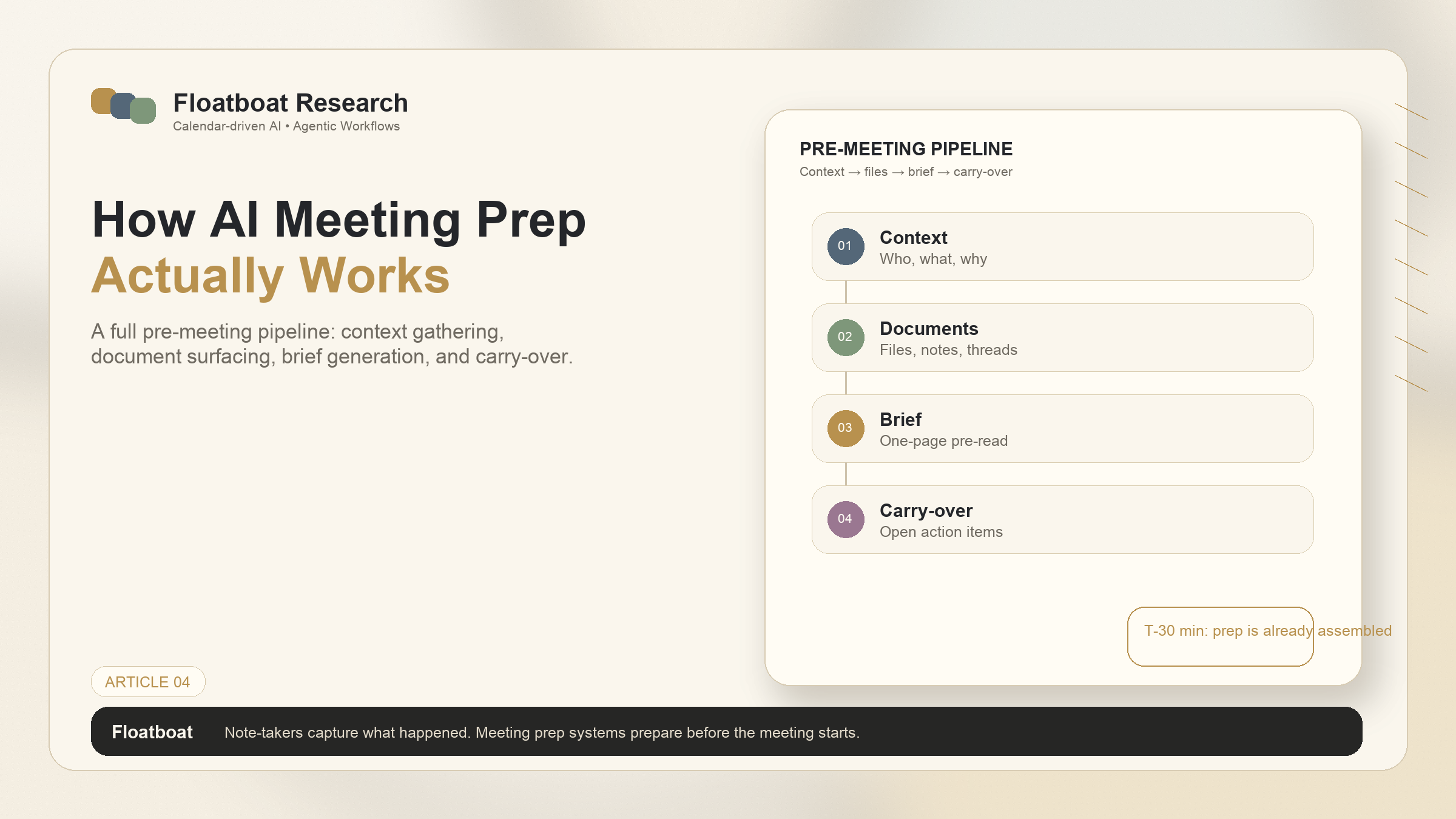
This stage is what turns a series of disconnected meetings into a continuous workflow. When the next instance of this recurring meeting approaches, the prep system — described in detail in What Is an Agentic Calendar? — surfaces the unfinished action items from last time, the decisions that were made, and the context that was established. The prep pipeline and the follow-up pipeline are two halves of the same loop. Prep feeds into the meeting. The meeting produces outcomes. Follow-up captures those outcomes. Prep for the next meeting surfaces them. The loop closes.
Without Stage 3, follow-up is a dead end — tasks get created but don't inform future preparation. With Stage 3, follow-up becomes the bridge between meetings, ensuring continuity without anyone playing the role of institutional memory.
3. Automation That Feels Invisible
3.1 Triggered When the Meeting Ends, Not When You Remember
The most important property of AI follow-up automation isn't the quality of the action extraction — it's the timing. Follow-up that happens when you remember to do it isn't automation; it's a tool you use manually. Follow-up that happens automatically when the meeting ends is a system that works whether you remember or not.
Calendar-driven AI uses the meeting end time as the trigger. When the calendar event concludes, the follow-up pipeline begins — without a prompt, without a button click, without the human switching contexts from the conversation they just finished to the task of documenting it. By the time you've opened your next tab or walked away from your desk, the system has already processed the meeting, extracted the decisions and actions, and routed them to the appropriate places.
This timing matters because it eliminates the decay window. Manual follow-up that happens three hours after the meeting has already lost some fidelity — details fade, nuances are forgotten. Follow-up that happens immediately captures the meeting while it's still mentally present. The outputs are more accurate, and more importantly, they exist. An imperfect action item that gets routed right away is more valuable than a perfect action item that gets written up three days later, or never.
3.2 From Notes to Tasks Without Copy-Paste
The workflow that most people use for meeting follow-up involves multiple tools and manual data transfer. Notes are in one place (a notebook, a Notion page, a Google Doc). Tasks are in another (Todoist, Linear, Asana). Communication happens in a third (Slack, email). Follow-up means reading the notes, extracting the action items, creating tasks in the task manager, and sending messages to the relevant people — all manually, across three or four different applications.
AI follow-up automation collapses this into a single automated flow. The meeting ends. The system processes the content. Task items are created in the connected task manager. Follow-up messages are drafted in the connected communication tool. The human reviews and sends — one approval step instead of six manual steps. The copy-paste disappears. The context-switching disappears. What remains is the judgment work: is this action item correct, is this follow-up message appropriate, does anything need to be added. The assembly work — the part that consumes time without requiring thought — is handled by the system.
4. Connecting the Full Loop: Prep → Meet → Follow-Up → Prep
4.1 How the Pre-Meeting and Post-Meeting Pipelines Work Together
The pre-meeting pipeline and the post-meeting pipeline are designed to connect. Prep gathers context before the meeting. The meeting happens. Follow-up captures outcomes after. Those outcomes become context for the next prep cycle. The calendar drives the entire sequence.
Consider a weekly client call. Tuesday at 2pm: the prep pipeline gathers last week's notes, the current project status, and any new emails from the client. The call happens. The follow-up pipeline extracts decisions and action items. The following Tuesday at 1:30pm: the prep pipeline surfaces the unfinished action items from last week's follow-up, the decisions that were made, and the updated project status. The loop runs continuously, with each meeting feeding the next.
This loop is what makes calendar-driven AI qualitatively different from point solutions. A note-taker helps with one meeting. A task manager helps with action items. But only a system that connects prep to follow-up across the calendar maintains continuity across time. The calendar isn't just a schedule — it's the thread that ties the work together.
4.2 The Calendar as the Central Runtime
The calendar's role in this loop is worth stating explicitly because it's the architectural difference between a collection of AI features and an integrated workflow system. In a feature-based approach, you have an AI note-taker, an AI task extractor, and an AI prep tool — each doing its job, each requiring you to connect them manually. The note-taker produces a summary; you read it, extract the action items, and create tasks. The task manager tracks deadlines; you check it before meetings and manually surface relevant items.
In a calendar-driven approach, the calendar is the central runtime that orchestrates all of these functions. The event triggers prep. The event ending triggers follow-up. The next event triggers prep that includes the follow-up from last time. The calendar doesn't just store time slots — it drives the entire work lifecycle. This shift from "calendar as container" to "calendar as engine" is what distinguishes an agentic calendar from a smart calendar with AI features bolted on. For the full definition of the category, see What Is an Agentic Calendar?.
5. FAQ
5.1 How does AI follow-up handle vague or unstructured meetings?
AI follow-up systems work best with meetings that have clear decision points and action assignments. For unstructured conversations — brainstorming sessions, exploratory discussions, informal check-ins — the system will still capture what it can identify as decisions or action items, but the output will be sparser. The system doesn't fabricate structure where none existed. For meetings that are intentionally open-ended, the primary value of AI follow-up is capturing whatever concrete outcomes did emerge, even if they're minimal, and ensuring they don't get lost in the broader discussion.
5.2 Can the AI distinguish between decisions and small talk?
Yes, with reasonable accuracy. The system analyzes linguistic and structural patterns to distinguish between different conversation modes: social talk (greetings, personal updates), informational exchange (status updates, context sharing), deliberation (exploring options, debating alternatives), and resolution (converging on decisions, assigning actions). Only the resolution mode produces decisions and action items. The system doesn't need to perfectly classify every sentence — it needs to identify the resolution moments, which tend to be linguistically distinct from the rest of the conversation.
5.3 What tools do I need for end-to-end meeting automation?
The minimum is a calendar (for event triggering), a meeting platform or note-taking method (for content capture), and a task or communication tool (for routing outputs). Calendar-driven AI systems handle the orchestration layer — they connect to your calendar for triggers, process the meeting content, and route outputs to your task manager, email, or Slack. The specific tools depend on your stack, but the common pattern is: Google Calendar or Outlook for scheduling, Zoom or Google Meet for the meeting itself, and Linear, Notion, Todoist, or Asana for task tracking.
5.4 Can AI follow-up integrate with my existing task manager?
A complete calendar-driven AI system should support integration with major task managers — such as Linear, Notion, Asana, Todoist, or similar tools — rather than requiring you to use a built-in task tool. The action items extracted from a meeting are created as tasks in your existing system, with the same format and fields you already use. This is important because it means adopting AI follow-up doesn't require abandoning your current workflow. The system plugs into the tools you already have; it doesn't replace them with a new tool you need to learn.
6. Related Reading
What Is an Agentic Calendar? — The foundational definition of the category that makes the full prep-follow-up loop possible.
Calendar-Driven AI vs Chat-Based AI — Why automated follow-up triggered by the calendar is architecturally different from asking a chat AI to summarize.
Related Articles
Get automation tips for your workflow
Weekly insights for non-technical professionals. No spam ever.