
Dynamic Workflows: Build Agents or Use a Workspace?
Dynamic Workflows raises a practical question: should solo operators build agent orchestration or use a workspace built for execution?

Dynamic Workflows just shipped in Claude Code, and if you're a solo operator already running AI in your stack, the real question isn't "is this cool" — it's whether you should be building your own sub-agent orchestration, or whether what you actually need is a workspace that runs work end-to-end. Hi, I'm Nova. I've been poking at the research preview since it dropped on my own projects.. Here's how I'd think through the build-or-use call before you commit either direction.
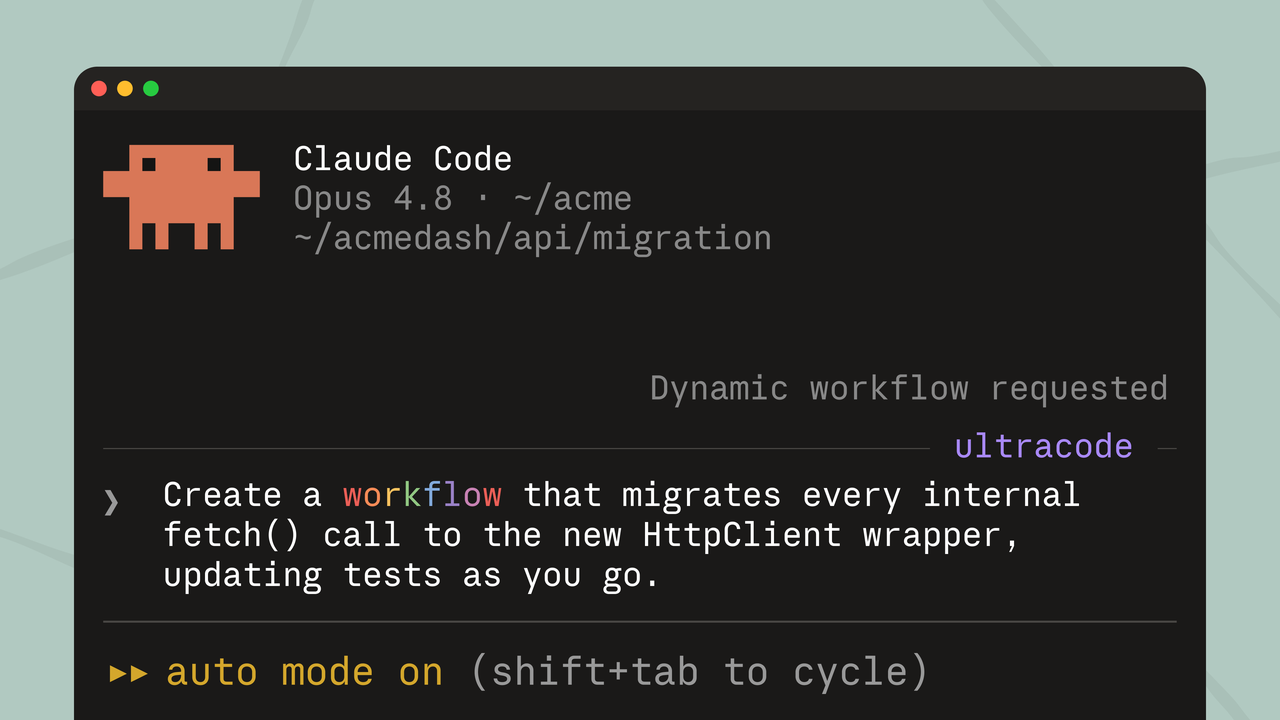
What Dynamic Workflows actually are
The short version: in Claude Code, you can now ask Claude to "create a workflow," and instead of one model chewing through your task turn-by-turn, it writes an orchestration script on the fly. That script spawns up to 16 parallel sub-agents at a time, capped at 1,000 total per run, with intermediate results living inside script variables instead of in Claude's context window. At the end, you get one consolidated report.
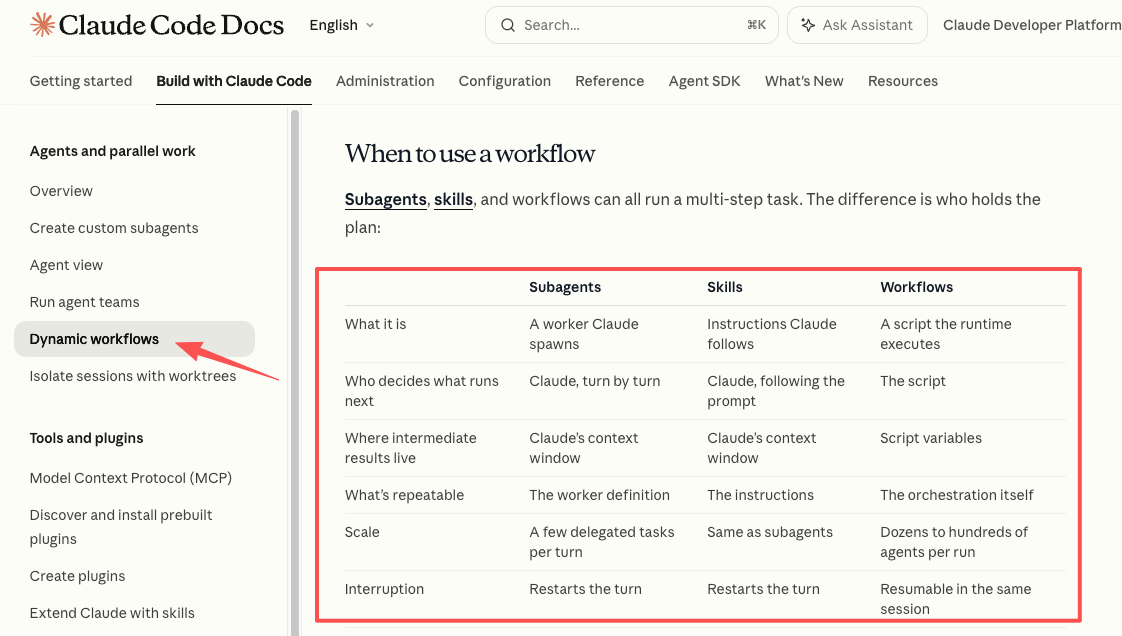
It's available as a research preview on Max, Team, and Enterprise plans (Pro isn't on the list), plus the API, Bedrock, Vertex AI, and Microsoft Foundry. On Max and Team it's on by default; Enterprise admins have to switch it on. It needs Claude Code v2.1.154 or later. The launch documentation also flags that workflows can burn substantially more tokens than a standard session — Anthropic itself recommends starting with a scoped task to calibrate before launching a repo-wide audit.
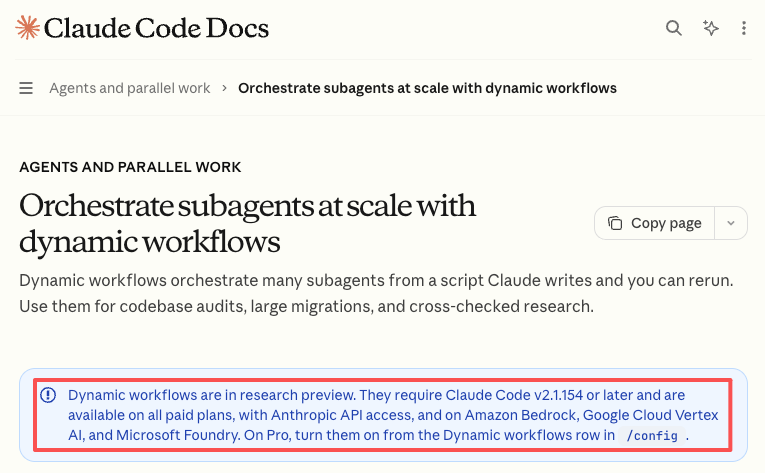
That last part matters. The capability is real. The cost shape is also real.
Why sub-agents sound powerful but add complexity
I get why this is exciting. The first time I watched a workflow fan out across a small task and come back with a verified result, my reaction was honestly: okay, that's actually pretty clever. Independent agents working from different angles, then adversarial agents trying to refute the findings — that's the kind of pattern that gets you out of single-agent hallucination loops.
But here's the thing nobody puts in the launch blog. The minute you're building with sub-agents, you've signed up for three new categories of work:
The first is scoping. Workflows are not "fire and forget" by default. You have to bound what the agents can touch, what counts as done, and how their outputs get reviewed. A run that's too loose will happily spawn 200 agents to investigate something you could have answered in one prompt.
The second is cost monitoring. Every agent pays its own context overhead. The launch coverage I've read is consistent on this — a multi-agent run can be an order of magnitude more expensive than a single-agent session. That's fine for codebase-scale migrations. It's a lot less fine for "let me try this on Tuesday's content batch."
The third is maintenance. If the workflow becomes part of how you actually work, you now own it. When the model updates, when the tool list changes, when your workflow stops doing what it used to — that's your problem to debug.
None of this is a knock on the feature. It's just the part that doesn't fit in a launch tweet.
The build path: when orchestration actually makes sense
There's a real case for building. If your work involves a codebase, a research corpus, or a repeated investigation pattern that's complex enough to genuinely need fan-out, Dynamic Workflows is a much lower lift than rolling your own agent framework from scratch. The orchestration script is the loop, the branching, and the intermediate state — you don't have to wire that part yourself.
The build path is the right call when three things are true at once:
You're working at a scale where one model in one session genuinely can't hold the task — codebase-wide migrations, multi-source investigations, audits across hundreds of files. You're comfortable enough in Claude Code (or the API) that "Claude wrote a script that ran subagents" is a sentence that doesn't make you nervous. And the task is going to repeat — because the payoff for designing a workflow is mostly in the second, third, and tenth time you run it.
If any of those three are missing, the build path is going to feel heavier than the work it's saving. Which is the part I think gets glossed over.
The workspace path: when you need outcomes, not setup
Here's where most solo operators I know actually land, even if they don't say it out loud: they don't want to build an agent stack. They want their work to move. The difference matters.
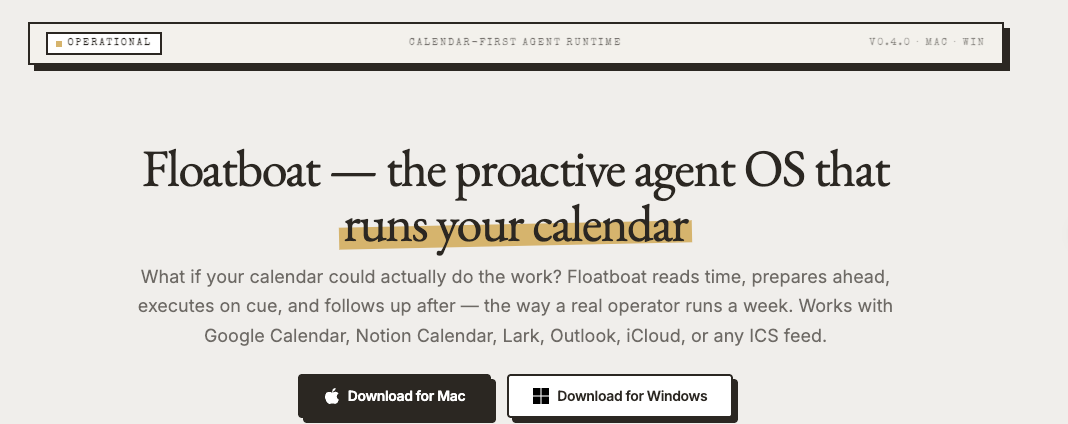
A workspace, for the way I'm using the word here, is something that already sits across your calendar, files, recurring tasks, and context — and turns those into actions without you writing the orchestration. You're not designing the loop. You're using one that's already shaped for the kind of work a one-person business actually does: meeting prep, client follow-up, content batching, delivery checkpoints, recurring ops that pile up if nobody touches them. Floatboat is one example in this category, positioned around exactly that gap — the layer between "this is scheduled" and "this got done." There are others appearing in the same space.
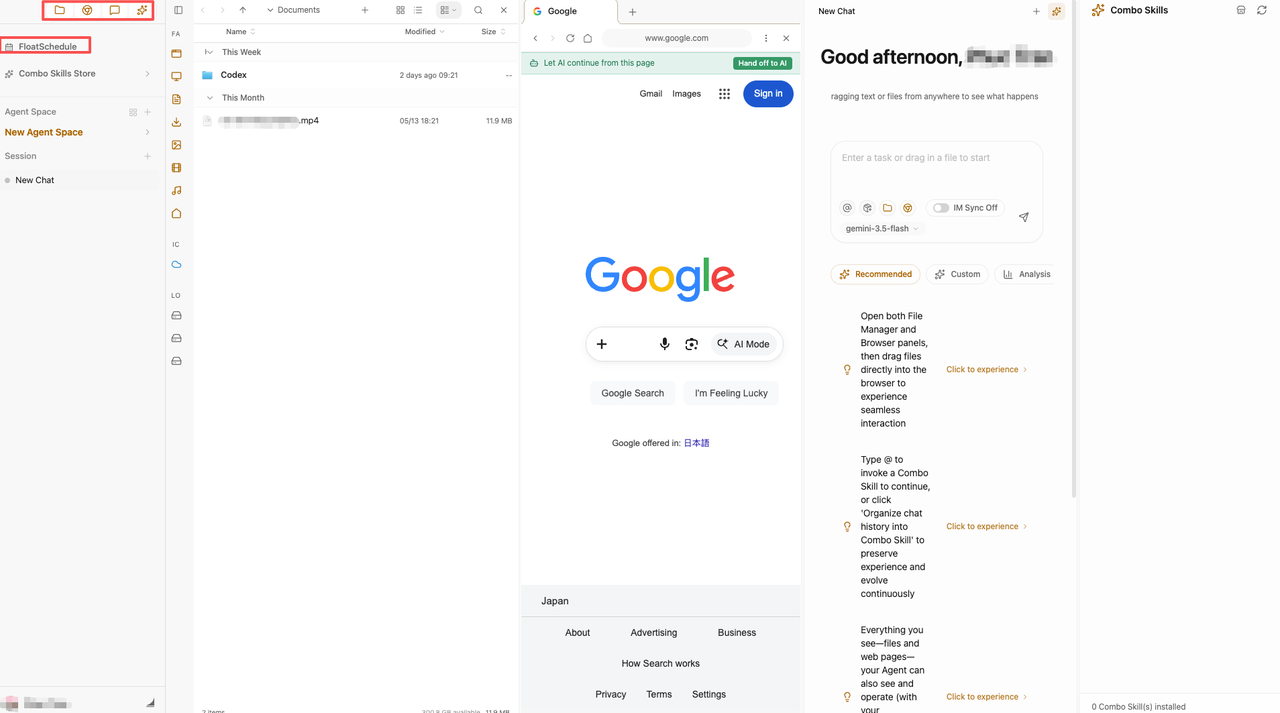
The trade-off is real. You get less control over the exact orchestration shape. You also stop paying the maintenance tax. For a lot of solo work, that's the right trade — because the bottleneck isn't "I need more powerful agent coordination," it's "I have eleven recurring things this week and I'm the only one who remembers them."
That's a different problem. It deserves a different tool.
A decision framework for solo operators
If I had to give a friend one filter for this call, it'd be this: ask what you're actually trying to remove from your week. Not what sounds powerful — what's specifically eating your time.
Then run it past four checks.
Task repeatability, review needs, permissions, maintenance
Repeatability. Is this a task you'll run more than five times? If yes, designing a workflow earns its keep. If no — if it's a one-off audit or a one-time migration — a single Claude Code session, even a long one, is usually the cheaper answer. Workflows reward repetition. They don't reward novelty.
Review needs. How much do you need to see the intermediate steps? Dynamic Workflows is specifically designed so you don't see the turn-by-turn — the script holds the plan, and you get the final report. That's a feature for repo-scale work. It's a bug if your job is the kind where you need to catch the model's reasoning mid-stream. Be honest about which you are.
Permissions and scope. What is this thing allowed to touch? Workflow scripts can't touch the filesystem or shell directly — only the agents do. That's good for safety, but it also means you're now thinking about agent-level permissions, which is a thing you weren't thinking about before. If your work touches client data, client systems, or anything where a wrong action has external consequences, the scoping load is non-trivial.
Maintenance. Who debugs this when it breaks? If the answer is "me, and I have other things to do," workspaces win by default. If the answer is "me, and this is literally my craft," go build.
Most solo operators I know are in the first camp and don't say it out loud.
What to do if you already started building
Maybe you're already a few weekends into a sub-agent setup. I've been there with adjacent tools. A few honest questions:
Is the thing you built actually saving more time than it's taking to maintain? Track this for two weeks. If the answer is unclear, that's already the answer. Are you using it because it works, or because you don't want to admit you over-built? It's a fair question to ask yourself. Could the same outcome come from a workspace that doesn't require you to be the one keeping it alive?
You don't have to throw it away. You can keep the build for the parts where you genuinely need fan-out — repo-scale audits, deep research, multi-angle investigations — and move the day-to-day execution somewhere it doesn't need you to maintain it. Different layers, different tools. That's allowed.
FAQ
Do Dynamic Workflows mean I need to build my own agent stack?
No. Dynamic Workflows is one option for orchestrating sub-agents inside Claude Code, not a sign that every AI-using solo operator should now be building agent systems. If your work is codebase-scale or research-heavy and you live in Claude Code, it's worth trying. If your work is calendar- and client-driven, the workflow layer probably isn't the missing piece — execution across your existing schedule is.
What if I already built part of a sub-agent workflow?
Keep it for the use case it actually fits — usually deep research, audits, or large refactors — and stop trying to make it cover the rest of your week. The mistake I see most often (and have made) is forcing one architecture to cover both the deep, occasional work and the daily, repetitive work. They want different tools. The Anthropic docs themselves frame workflows as best for problems too big for one pass by a single agent — that's a specific use case, not a default mode.
When do sub-agents create more maintenance than value?
Roughly when the task isn't repeating enough to amortize the setup, or when the workflow needs to touch enough different tools that you're spending real time on the seams between them. A rough personal rule: if I've spent more time configuring it than running it after the second week, it's not earning its place. Cut it.
Is an AI workspace better for non-developers?
For most non-developer solo operators, yes — at least for the daily-execution layer. Dynamic Workflows assumes a Claude Code environment and a Max-or-above plan ($100+/month). A workspace that sits across calendar, tasks, and recurring work is usually closer to what a creator, consultant, or service provider needs day-to-day. That's not a knock on Claude Code — it's a phenomenal coding tool. It's just that "build coordinated agent fleets" and "make sure Tuesday's three deliverables actually go out" are different jobs.
That's where I am with this right now. Dynamic Workflows is genuinely interesting if you're already living in Claude Code at the scale it's designed for. For most of the solo operators I talk to, the more honest answer is: you don't need a more powerful way to coordinate agents. You need fewer things falling through the cracks. Those aren't the same problem, and they don't have the same solution.
Worth checking the official Claude Code docs before you commit either way — research previews change, and pricing and plan availability for Dynamic Workflows in particular are worth confirming against the latest documentation rather than what you read in a launch piece (including this one).
Previous Posts
How to Scale a One-Person Business Without Hiring
Claude Managed Agents: What They Mean for Solo Companies
How One-Person Businesses Work Like a Team With AI
Get automation tips for your workflow
Weekly insights for non-technical professionals. No spam ever.