
Should a Solo Operator Use an AI Agent?
AI agents that remember your work and run while you sleep sound powerful. But should a solo operator actually use one — and which kind? An honest breakdown.
Hey, Nova coming. I've been sitting with this question for a while. Not in a "deep philosophical contemplation" way — more like the kind of thing that comes up when you're looking at your workflow at 11pm and wondering if there's a better version of this.
The term "AI agent" gets thrown around a lot right now, and most of the time it means very different things depending on who's saying it. For a developer, it might mean a self-hosted system running on a VPS. For a marketer, it might just mean a chatbot with a few extra steps. If you're a solo operator who's not a developer, the distinction matters — a lot. So let me share how I'd actually think through this.
What Solo Operators Are Actually Looking For in an AI Agent
Before getting into tools, it helps to be honest about what the problem actually is. When I talk to people running one-person businesses who are interested in "AI agents," three things keep coming up.
Context continuity — not starting over every session. The single most frustrating thing about most AI tools is that they have no memory. You explain your project, your preferences, your constraints. Then you close the tab. Next session: blank slate. You explain it all again. This is genuinely annoying, and it's not a small friction — it's a real time cost that compounds.
Execution memory — AI that knows your standards. A notch above context memory is something closer to work standards: knowing how you write, what you care about, what "good" looks like for your specific output. Most AI tools don't build this. They respond to what you tell them in the moment, not what they've learned about you over time.
Desktop integration — files, browser, and real tasks. The third thing is less about memory and more about capability: an agent that can actually interact with your files, open tabs, and execute multi-step tasks without you manually stitching tools together.
These three needs are real. The question is how much infrastructure you want to take on to get them.
The Two Types of "AI Agent" on the Market Right Now
Here's the honest split in the market as I see it.
Type 1: Self-Hosted, Developer-Optimized
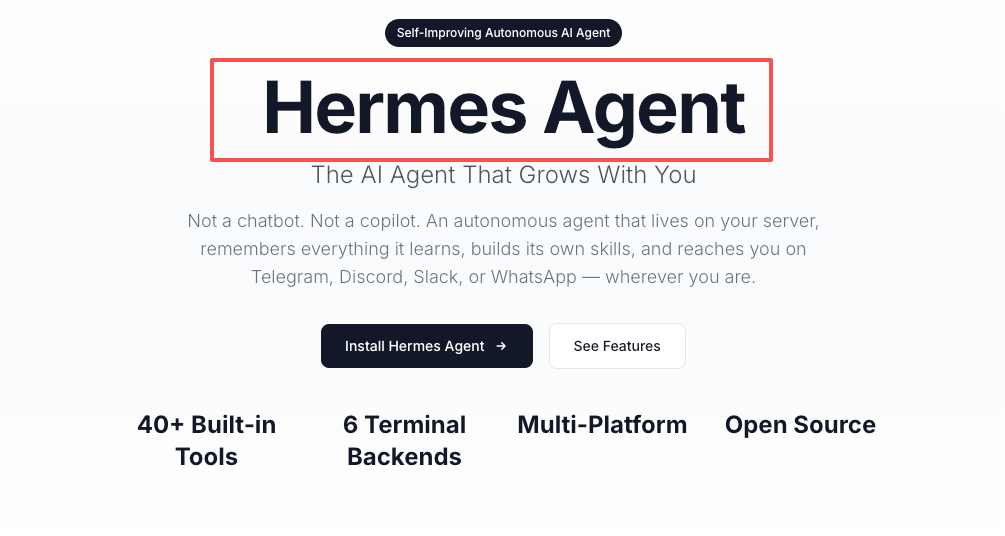
The clearest example right now is Hermes Agent, built by Nous Research. It's open-source, MIT-licensed, and built specifically around persistent memory and self-improving skills. The core design: after completing a complex task, the agent autonomously creates a reusable "skill" — a structured document capturing the procedure, pitfalls, and verification steps. The next time a similar task comes up, it loads the skill instead of reasoning from scratch.
It's genuinely impressive. Persistent memory across sessions, a cron scheduler for automated tasks, 16 messaging platform integrations, and the ability to run on anything from a $5 VPS to serverless infrastructure. According to the official Hermes Agent documentation, the minimum hardware requirement is 2GB RAM and a 10GB disk — technically accessible, but you're also managing a server, configuring an LLM provider, and maintaining the system yourself.
This is a Type 1 tool. Powerful, flexible, genuinely persistent. Built for people who are comfortable in a terminal.
Type 2: Workspace-Native, Operator-Optimized
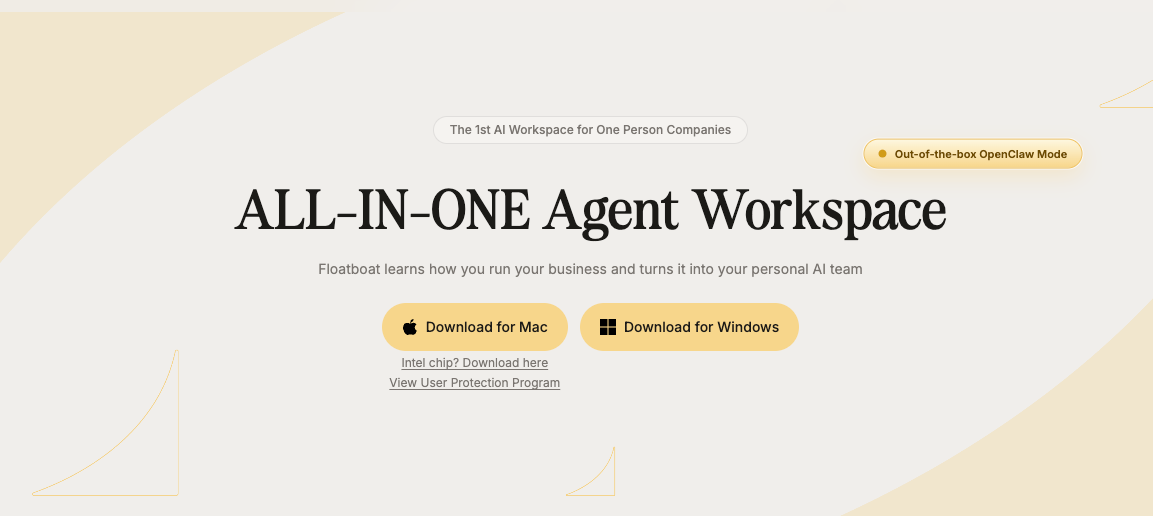
The second category is tools that bring agent-like capabilities into a workspace that doesn't require you to manage infrastructure. The tradeoff: less customization, less raw control, but no server to maintain and no installation beyond downloading an app.
Floatboat falls into this category — an AI workspace desktop app (Mac/Windows) designed around the idea of learning your work patterns over time. Its "Combo Skills" feature is essentially a reusable workflow: multi-step AI tasks that chain file reading, analysis, and content generation together without you manually setting each step up every time. It's built for solo operators and small teams who want workflow memory without server management.
I haven't done a deep dive on Floatboat's memory system. Specifically, — if that's your primary criterion, it's worth going through their site to understand what "learning your work patterns" actually means under the hood.
When a Self-Hosted Agent Makes Sense for a Solo Operator
I want to be fair to the self-hosted option here. For the right person, it's not overkill — it's the right tool.
You're technical enough to manage a server. This means comfortable with Linux basics, SSH, environment variables, and systemd services. If that sentence made sense to you, the setup barrier for Hermes is probably 30–60 minutes. If it didn't, the barrier is more like "I need to learn several new things before I can even try this."
You need deep customization and full data control. Self-hosting means your prompts and conversation history stay on your infrastructure. No third-party agent platform sees your data. For certain use cases — client-sensitive work, proprietary processes, privacy-first businesses — this is a genuine requirement, not just a preference.
You want to run scheduled automations while offline. Hermes has a built-in cron scheduler that runs tasks autonomously on any schedule you set. Your laptop doesn't need to be open. The agent works while you sleep. For solo operators with repetitive monitoring, reporting, or data tasks, this is a real capability that most workspace tools don't offer.
When It Doesn't Make Sense — and What You Pay Instead
Here's where I'd push back on the self-hosted path for most non-technical solo operators.
The setup time is real. Spinning up a VPS, configuring Hermes, connecting an LLM provider, setting up a messaging gateway — even with a one-line installer, this is a multi-hour project if you're not already familiar with the environment. That's time not spent on your actual work.
Maintenance is the hidden cost. It's not just the initial setup. Servers go down. Dependencies update. Your LLM provider's API changes. Every time something breaks, you're the one debugging it. For a developer, this is background noise. For a solo operator whose core work has nothing to do with infrastructure, it's a second job.
The ceiling on non-technical solo operators. Anthropic's own engineering team writes about the core challenge with persistent AI agents: each new session begins with no memory of what came before, and managing that continuity across context windows is still genuinely hard, even with well-built systems. If you're not technical enough to troubleshoot when the memory system does something unexpected, that's a problem. The value of a self-hosted agent depends heavily on your ability to maintain and extend it over time.
The honest version: for most solo operators, the time cost of self-hosting exceeds the benefits — at least until you've exhausted what workspace-native tools can do.
What to Look For If You Want Persistent AI Without Infrastructure
If self-hosting isn't the right fit, the question becomes: what features actually matter in a workspace tool?
Context that carries forward between sessions. Not just within a conversation — across days and weeks. Look for tools that explicitly describe how they handle session memory, not just ones that mention "AI memory" in their marketing copy.
Skills or reusable workflows. The ability to build a multi-step process once and run it repeatedly is the most practical form of execution memory for a solo operator. Whether a tool calls it "skills," "combo actions," or "automations" — the underlying question is: can I define how I want something done, and will the tool remember that?
File and browser access in one environment. Context switching between apps has a real cognitive cost. Tools that let you work with documents, research, and content generation in a single environment — without manual copy-pasting — reduce that cost meaningfully.
The broader point about AI agent memory is well-documented: as The New Stack notes in their analysis of context engineering, traditional large language models are stateless by default — and solving that statefulness problem at the infrastructure level is exactly what separates agent tools from chatbot tools.
Decision Framework: Build It, Use It, or Skip It for Now
Here's the clearest way I can frame this.
Situation | Recommendation |
|---|---|
Comfortable with Linux + servers, need full data control | Self-hosted agent (e.g., Hermes) — worth the setup |
Non-technical, want persistent AI in your workflow | Workspace-native tool (e.g., Floatboat) — lower barrier, start here |
Primarily want better memory within a single session | Most good AI tools handle this already — no agent needed yet |
Need scheduled, offline automations | Self-hosted is the only real option currently |
Just exploring — not sure what problem you're solving | Skip both for now, clarify the actual bottleneck first |
The question to ask before choosing anything: what specifically breaks down in your current AI workflow? If the answer is "I re-explain context every session," that's a memory problem. If it's "I can't run tasks when my computer is off," that's an automation problem. If it's "I spend too much time switching between tools," that's an integration problem. Each has a different solution.

FAQ
Q: Is Hermes Agent actually usable without coding experience?
Technically possible, but realistically difficult. The installer is one line, but getting it configured — provider setup, messaging gateway, understanding the skill system — requires comfort with command-line tools and troubleshooting. I'd say it's accessible to someone with intermediate technical comfort, not a complete non-technical user. I haven't set it up myself, so I can't give you a firsthand account of how smooth the experience is end-to-end.
Q: Do workspace tools like Floatboat actually have "memory" or is it marketing?
This is worth digging into per tool. "Memory" can mean anything from session context to genuine cross-session recall to workflow templates that carry forward your preferences. Distinction matters. Before committing to any tool, look for specific documentation on how they handle context persistence — not just feature page descriptions.
Q: What's the actual cost difference?
A self-hosted setup might run $5–$15/month for a VPS plus your LLM API costs (variable depending on usage). Workspace-native tools are typically subscription-based — usually in the $15–$50/month range for a solo operator tier. The cost difference is usually not the deciding factor. Time is.
Q: Should I wait for this category to mature before deciding?
Probably not — the tools are usable now, and the gap between "interesting demo" and "genuinely useful daily tool" has closed for the workspace-native category. Self-hosted agents are also past early-adopter stage, with the Hermes Agent GitHub repo showing active development. The category will keep improving, but if you have a real workflow problem, waiting another six months won't change the fundamental decision you need to make.
That's where I land on this. Not a definitive verdict — more like a clearer frame for thinking about which version of "AI agent" is actually relevant to you.
The best tool is the one you'll actually use and can actually maintain. For most non-technical solo operators, that still points to workspace-native over self-hosted. But it's worth knowing what you're trading off when you make that choice.
Previous Posts:
Get automation tips for your workflow
Weekly insights for non-technical professionals. No spam ever.